Financial Health Snapshot
Web Platform • May 2025 — Aug 2025 • Case Study
DebtBusters' dashboard was designed to convert eligible leads into clients, but the financial health widget at its centre was confusing users before they could understand the value of the service. There were other data-heavy widgets scattered around the Dashboard, and the solution itself was hidden on the 3rd page.
The brief was to redesign the financial health widget into something that actually earns users' trust and moves them toward a consolidation enquiry.

Impact: Improved Usability
This was measured through user interviews and usability testing. Working in an iterative process, actionable user insights were incorporated to improve the tool's redesign.

My role
Led UX and UI design, collating user insights, conducting heuristic audits, and conceptualising the design solution
Consulted on usability testing plan with the UX research partner; prioritised findings and drove design updates in response
Reframed a UI fix brief into a new lead journey by connecting two isolated data points into a single narrative widget.
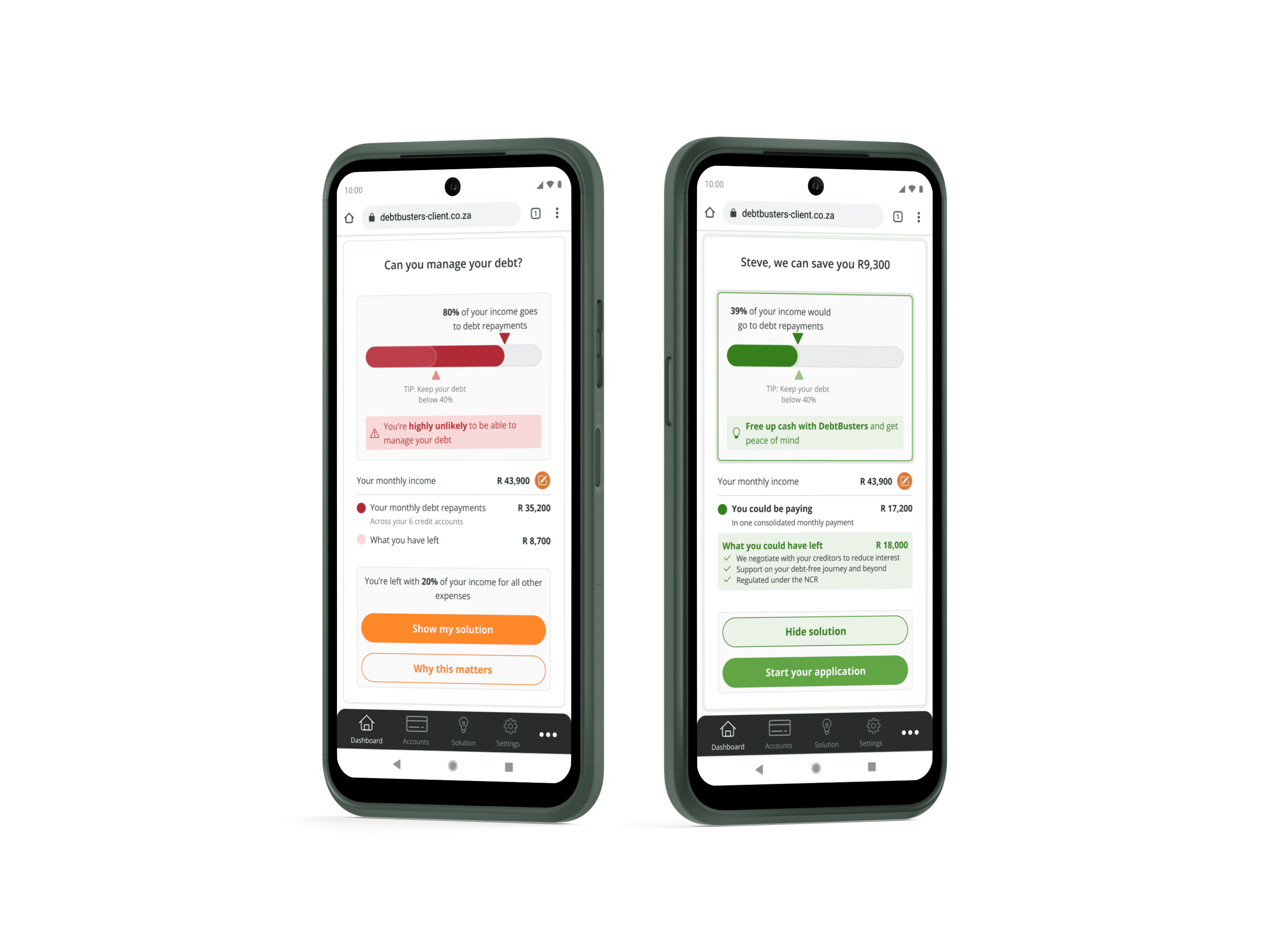
01 / DISCOVERY
CONTEXT
This is the dashboard page for DebtBusters' public-facing financial platform. Its goal is to illustrate a user's financial situation and where relevant, direct eligible users towards a call-back or online journey, converting them from lead to client. After user interviews revealed confusion with the narrative flow of information presented, two widgets were identified to help fix usability and clearly highlight the positive impact DebtBusters' consolidation solution can have on a users' debt situation.
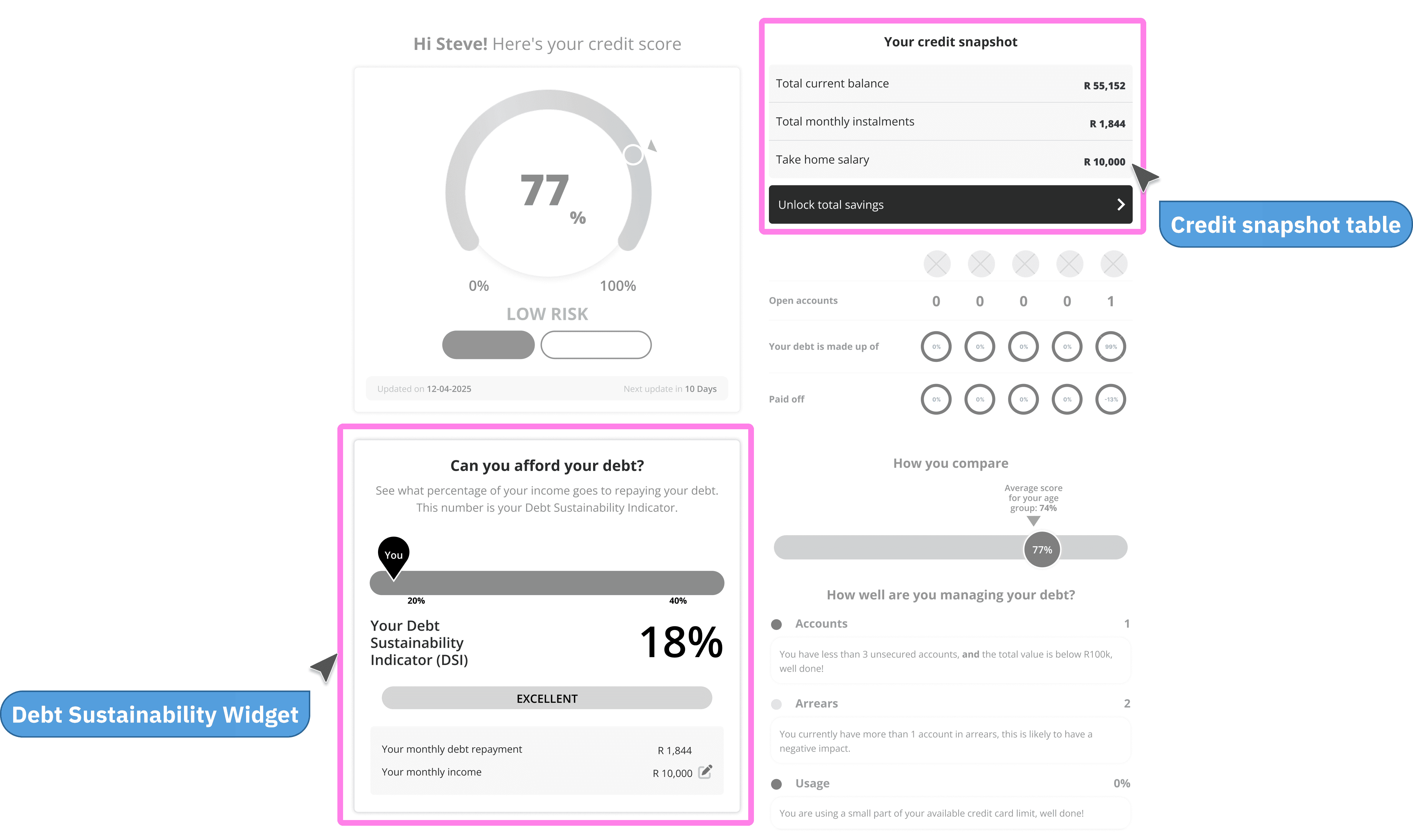
BEFORE THE REDESIGN
User interviews revealed the following usability issues:
"The solution is not there on the first page. I'm not seeing it."
"This [DSI] show it's likely they can help with a consolidation solution. But based on what?"
"It's so many things and you don't really know what to focus on."
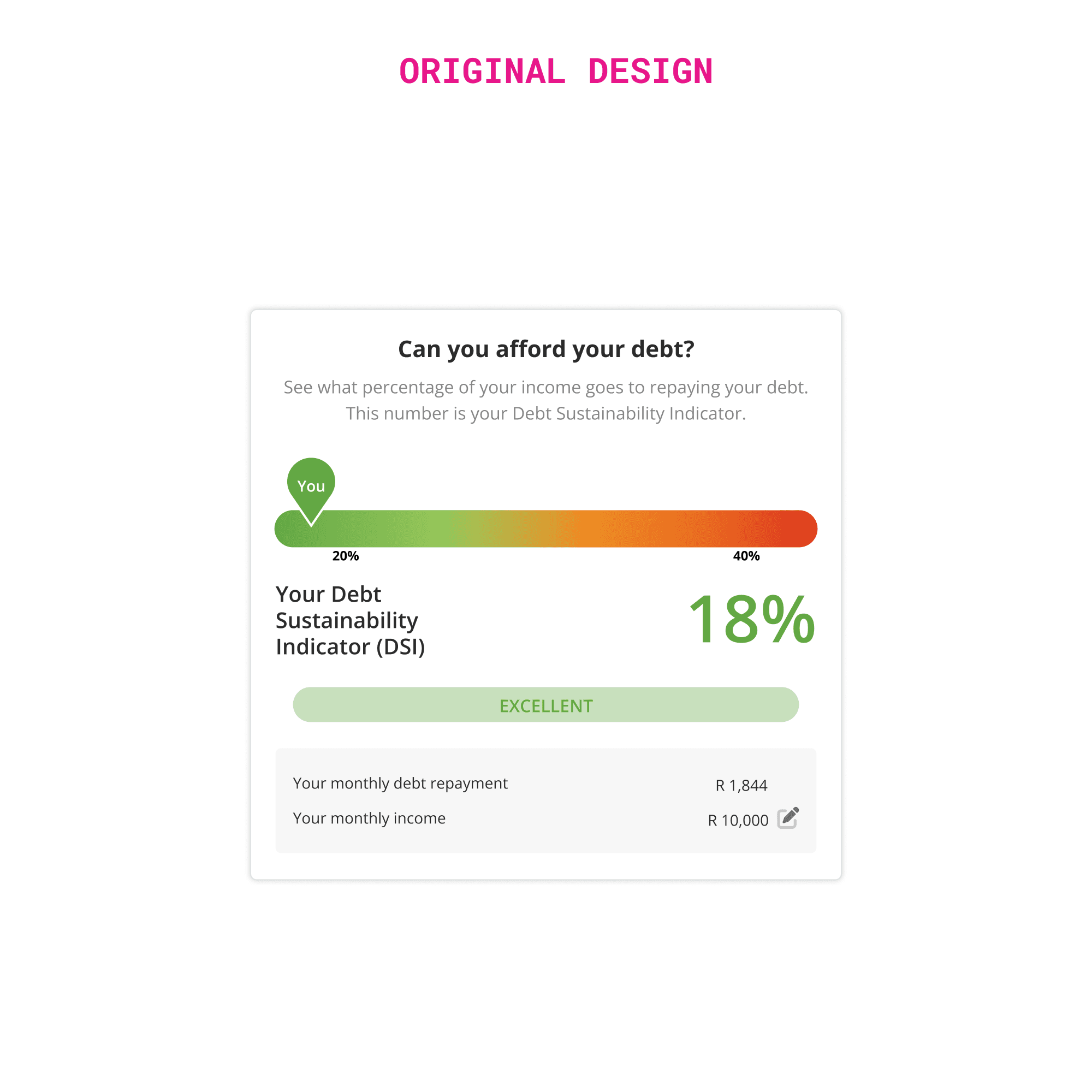
I made an extensive heuristic markup of the existing DSI widget's design:
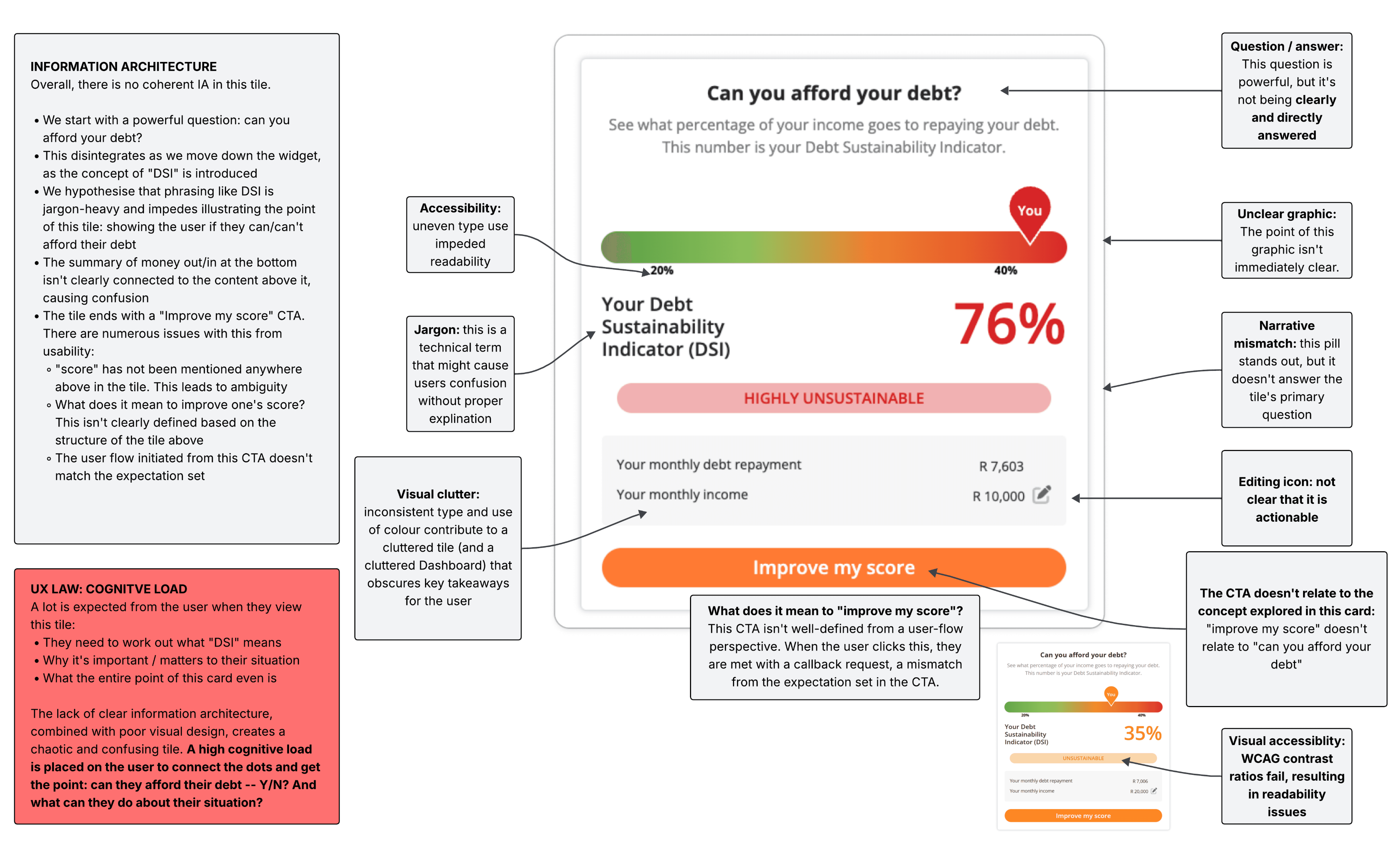
Design Challenges
Unclear visual hierarchy made it difficult for users to quickly understand key information (reduced scan-ability)
Use of jargon and ambiguity made it difficult to understand what the widget is conveying
Visual clutter and accessibility issues: small type and failing colour contrast ratios impaired readability
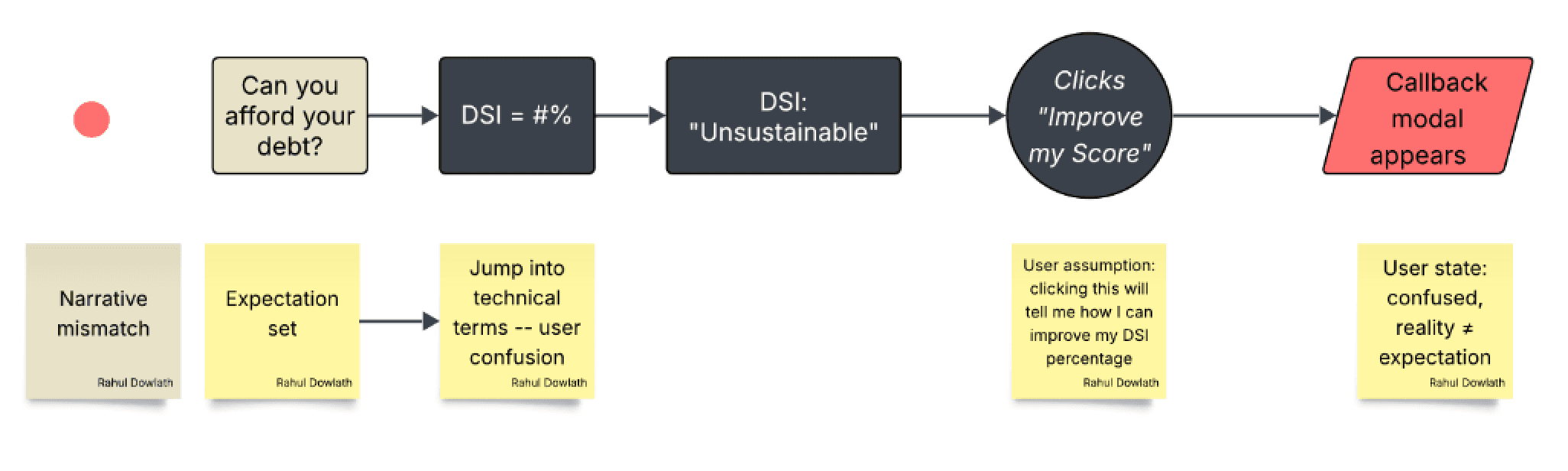
Users didn't know what the widget meant, felt overwhelmed with amount of data thrown at them, and the lack of a clear narrative made it difficult to understand what the brand's solution is and how it could help them.
Design Hypothesis
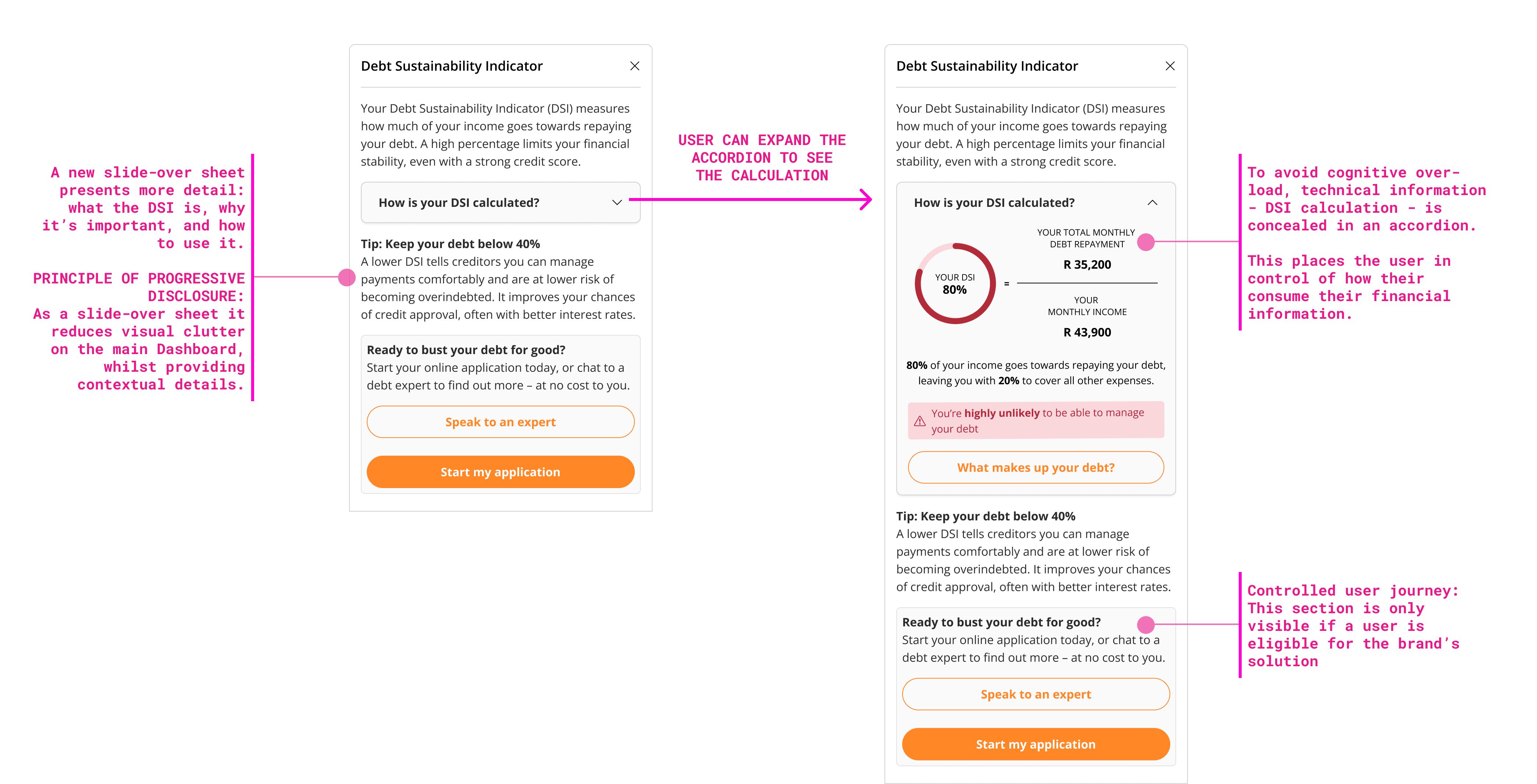
Merging monthly savings table from the Solutions page and credit snapshot table from the Dashboard page presents an opportunity to paint a clear picture about the user's situation and the brand's solution.
We can use the DSI widget to illustrate this. CTAs on the widget will have context, making action more likely.
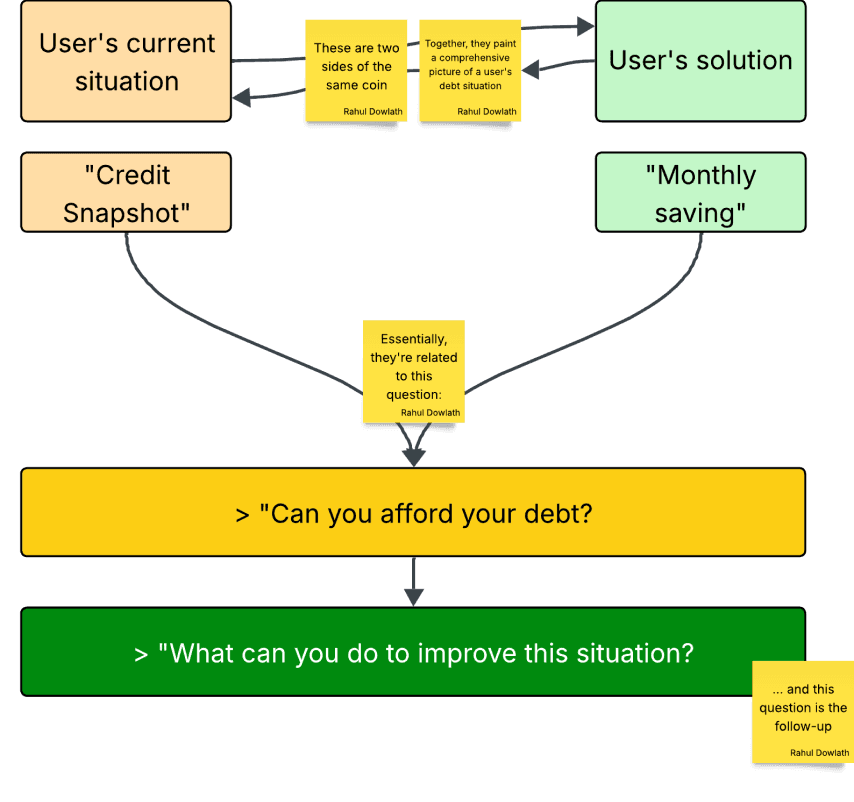
02 / IDEATION
CONNECTING THE DOTS
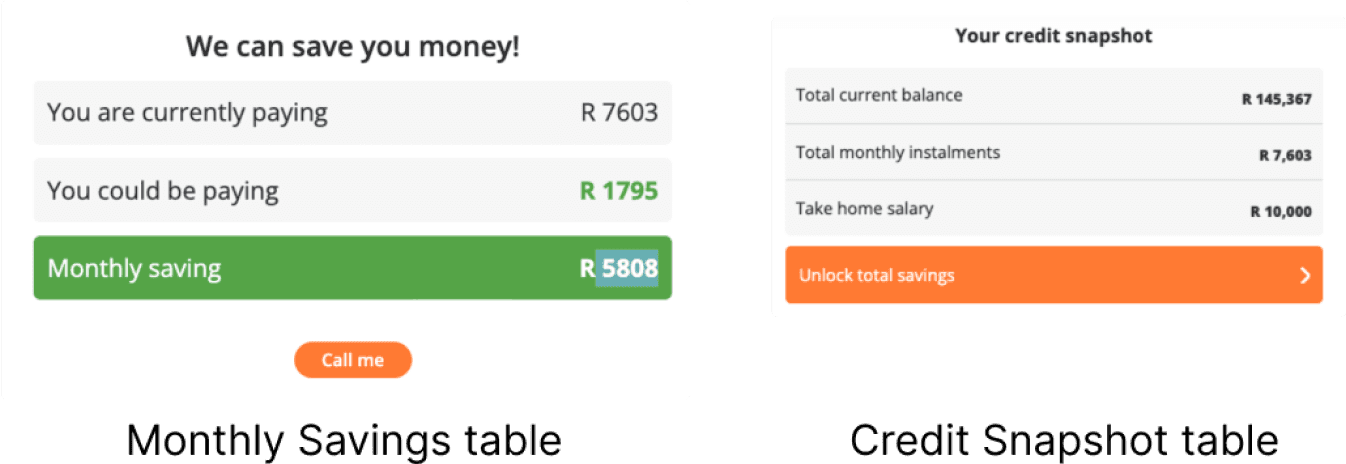
A narrative could be drawn from these 2 existing tables found across the platform.
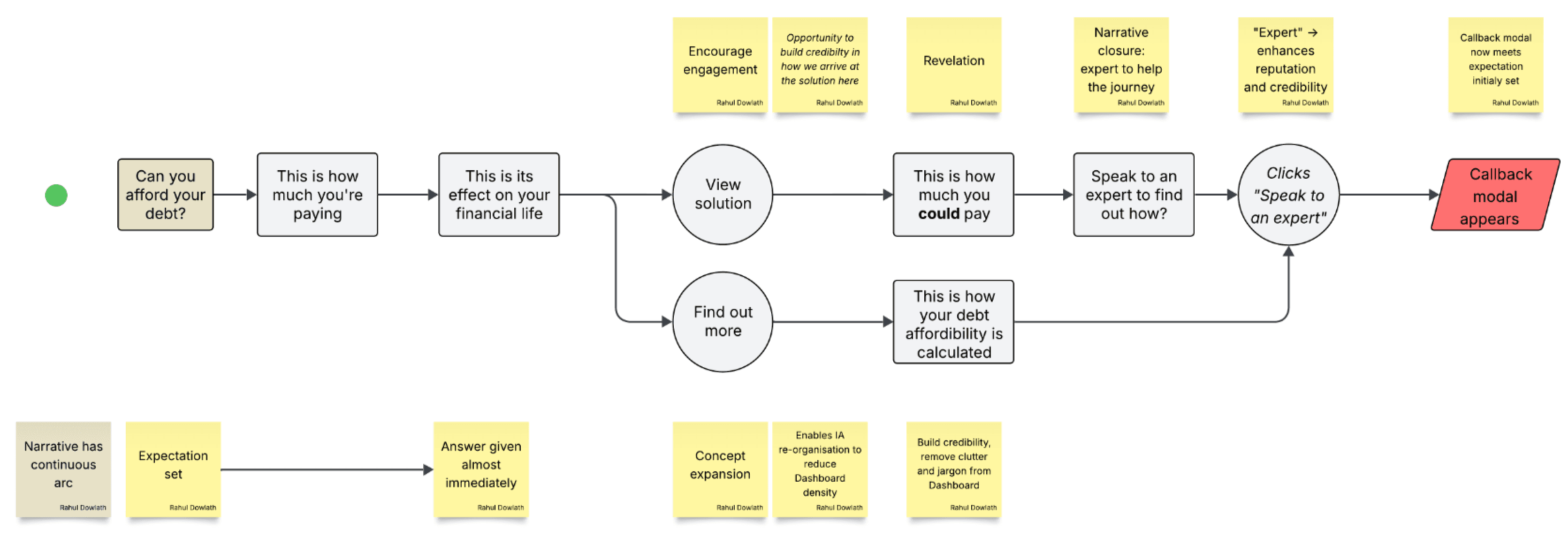
Coupled with an additional data point (the personalised quote based on a series of factors from a users' credit profile), we can show the user their current situation, and how it can be improved using the DSI widget.
USER FLOW
I started by imagining the new user journey:
ORIGINAL FLOW
NEW FLOW
DESIGN VARIANTS
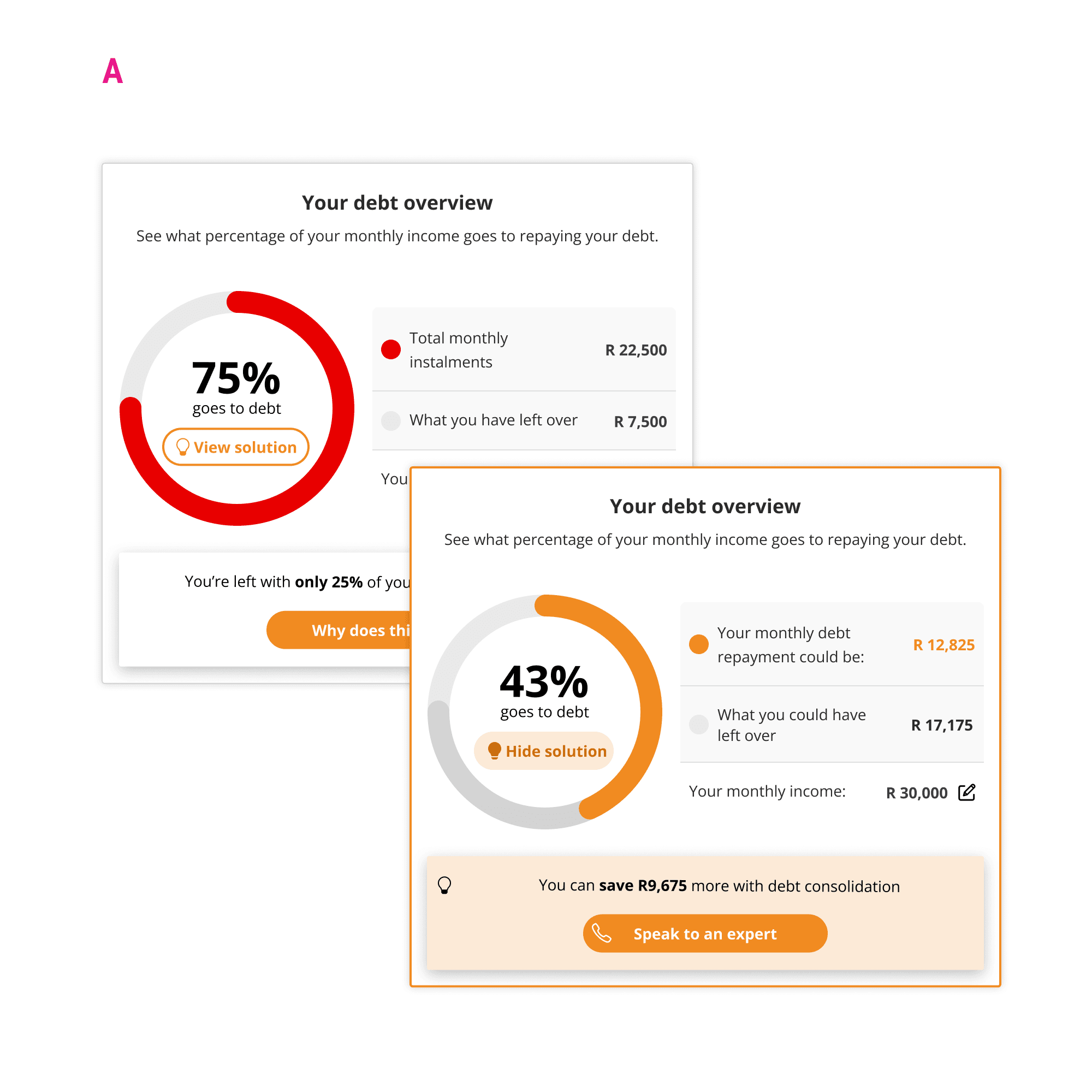
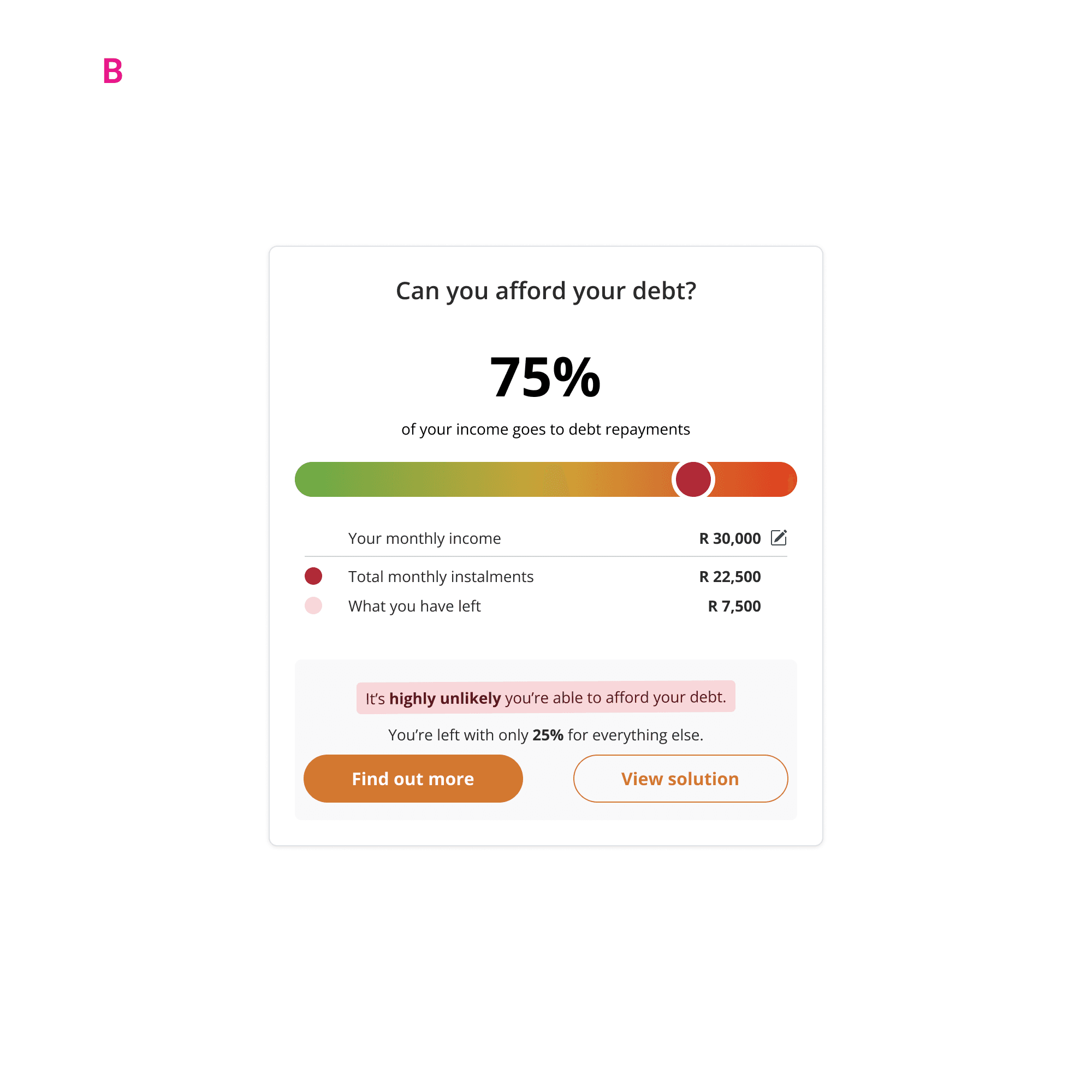
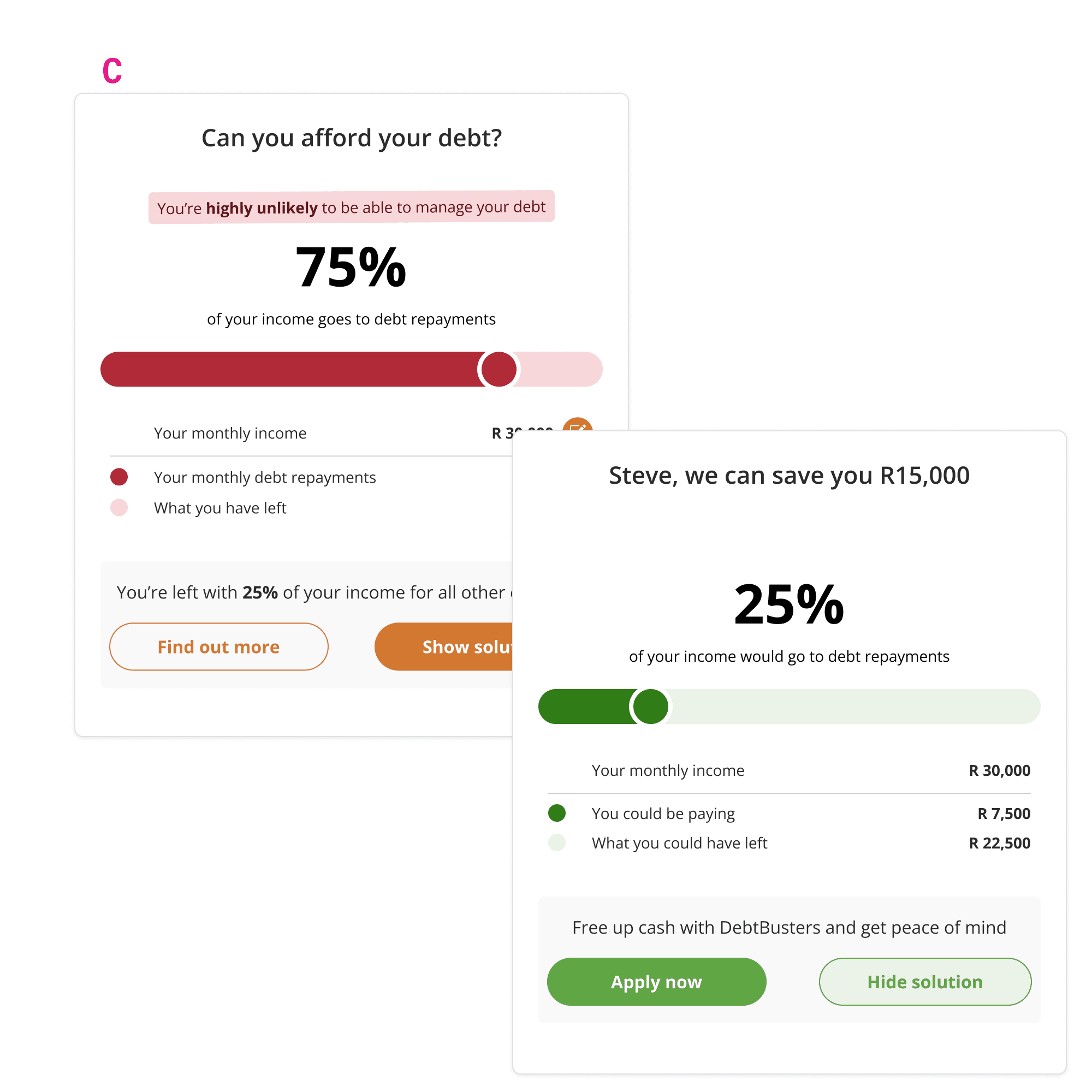
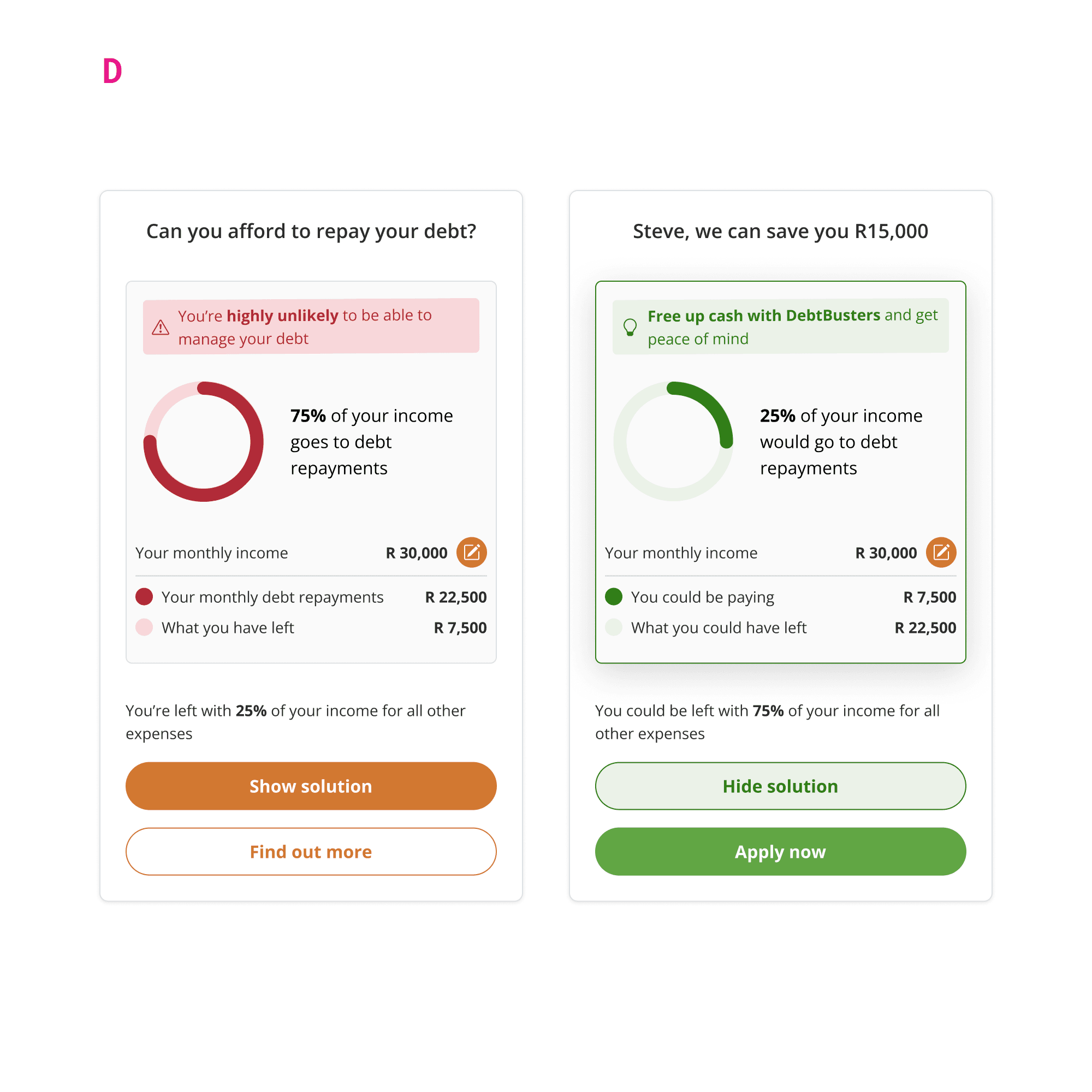
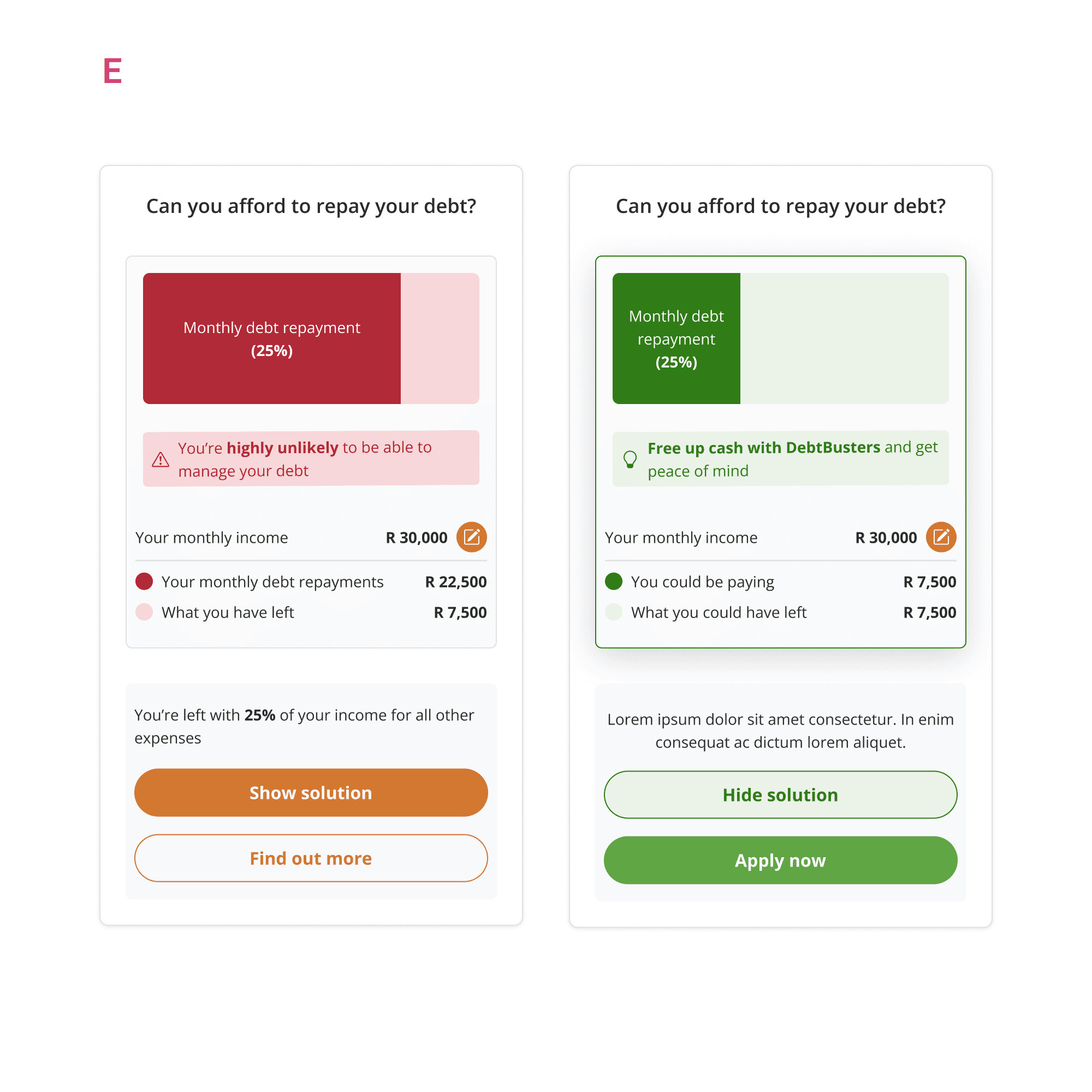
I explored a range of options to investigate potential ways of re-presenting the debt sustainability indicator:
03 / VALIDATION
USABILITY FEEDBACK
Usability testing was conducted with our research partners. I assisted in checking the interview script, the items to be tested and prepared the prototype for testing.
INVESTIGATION CRITERIA
🔬 CLARITY: Does the new DSI design clarify the message for users better than the current design?
🔬 FLOW Does the flow meet the user’s expectation? e.g. “View solution” → what would the user expect that button to do vs. what actually happens.
🔬 OUTCOME Would a user be more inclined to engage with the callback/application CTA using the new design?
FINDINGS
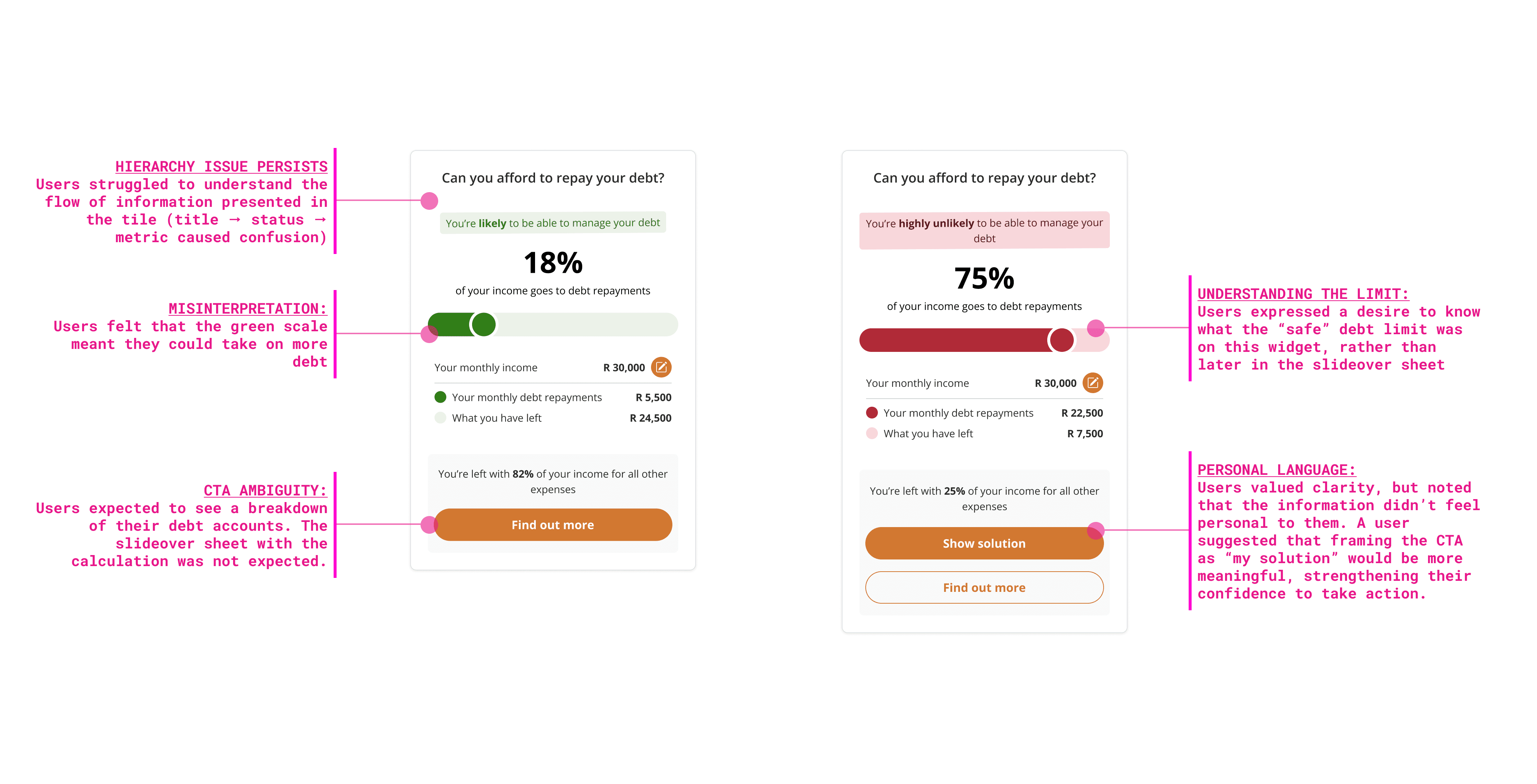
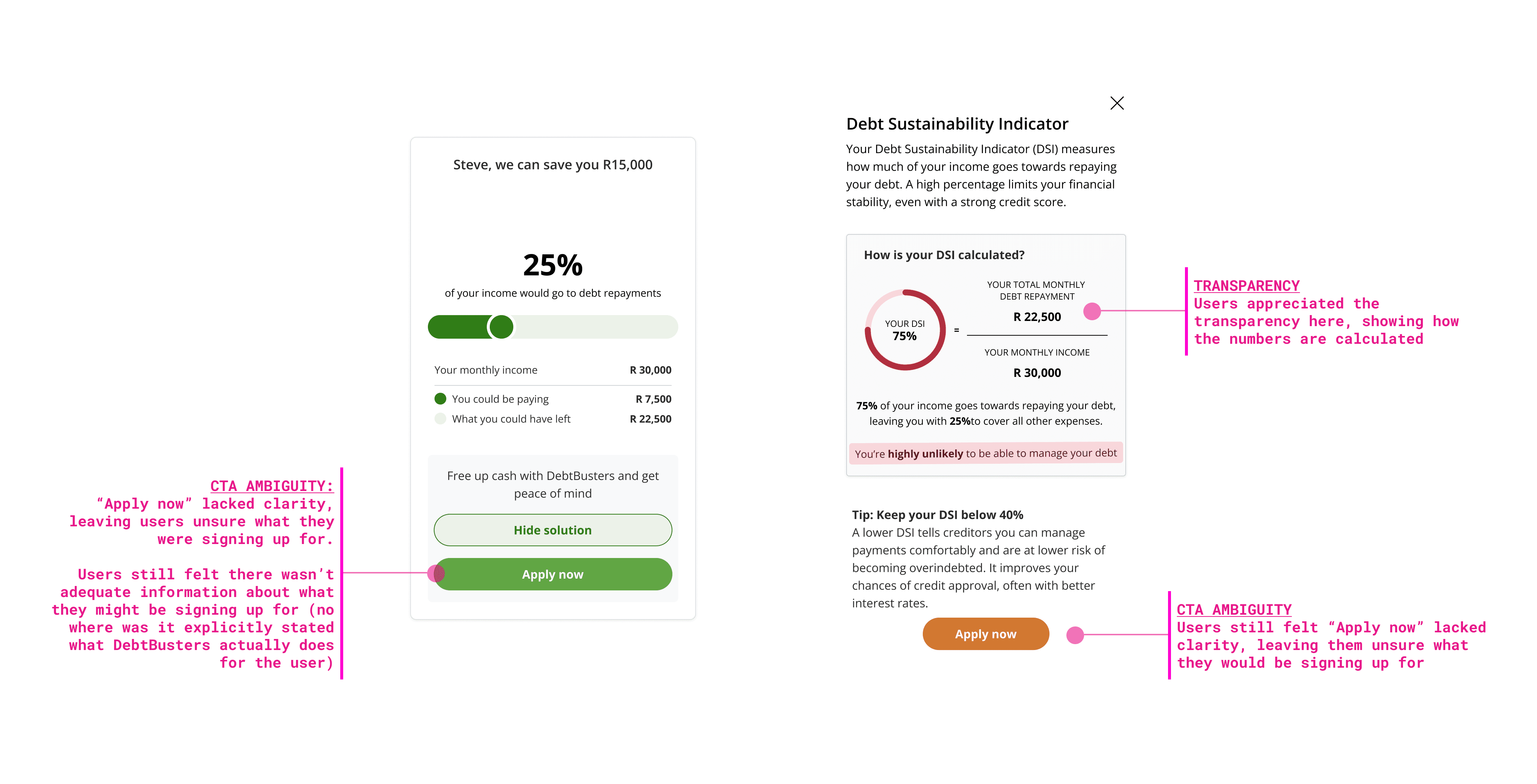
I created a priority list based on these findings, and working with the research team and my product owner, developed design updates to address user feedback.
04 / SOLUTION
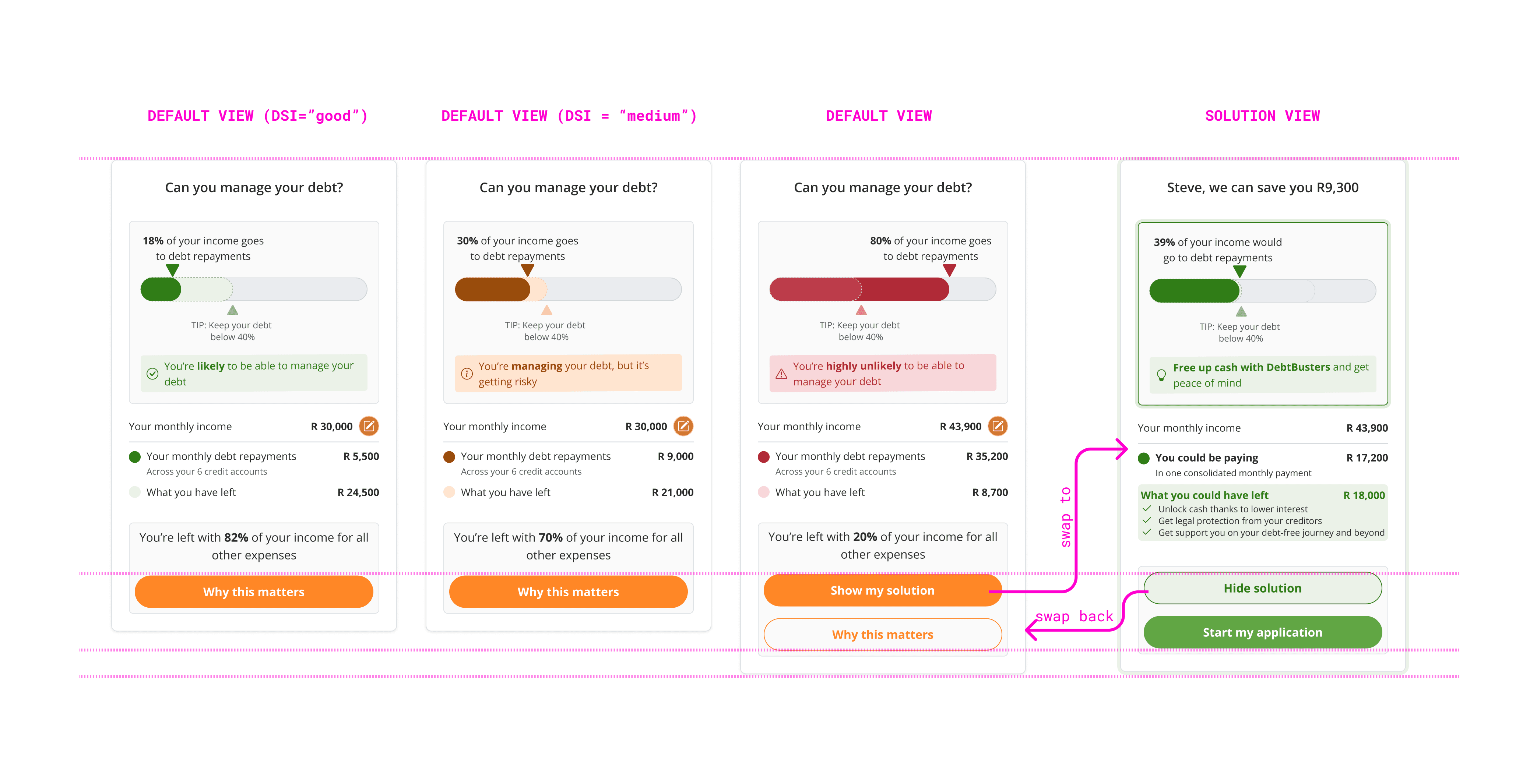
HIGH-FIDELITY MOCKUPS
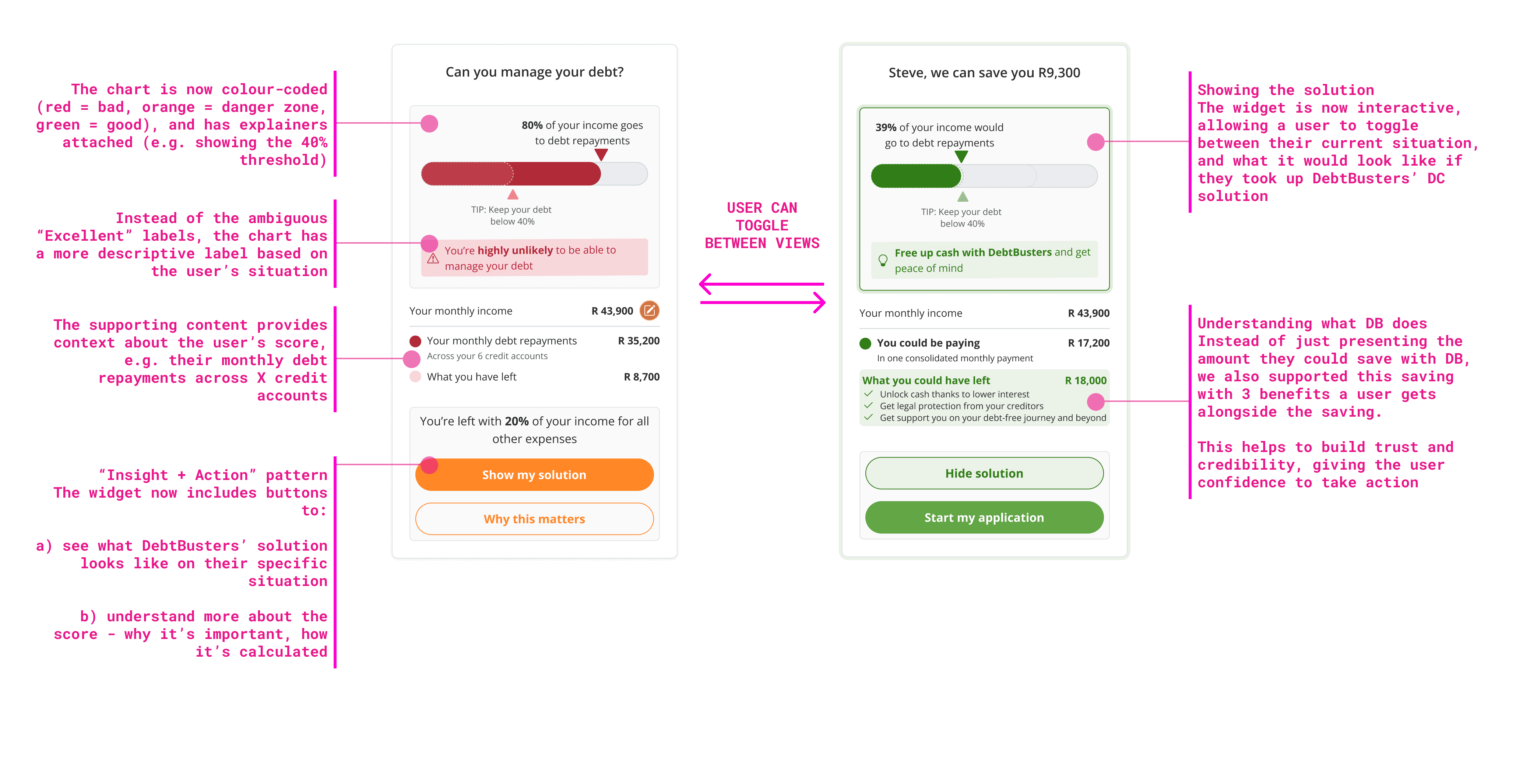
DESIGN BASED ON DIFFERENT SCENARIOS:
04 / KEY TAKEAWAYS
Redesigning the DSI taught me to connect the dots, looking beyond the single widget to see how isolated data points could work together to create clarity.
It taught me that narrative is paramount when working with data. It helps users clearly see their current situation, and gives business a platform to showcase the benefits of their solution.
I learnt to use Figma Make with this project, using it to capture the animation details which helped when handing-off the design to the dev team. I look forward to using this tool on future projects as a means of clarifying design intent.
I still feel like the design's information architecture could be pushed further to enhance clarity. We have gone live with this initial version, and based on real-world performance will continue to monitor and enhance the feature.
This case study highlights my contributions to features developed as part of my role at Confluent Services. The work was completed collaboratively, and all product assets, designs, and trademarks remain the property of their respective owners.
Want to learn more about this project?
Get in touch