During a one-week innovation sprint using Claude Code at Confluent, I designed and built Wayfinder, a browser-based journey mapping tool that helps anyone on a product team think in user journeys, not just technical requirements.
My role
Solo product designer + builder
Project type
Internal design tool
Company
Confluent Services
Date
May 2026 • 1 week innovation sprint
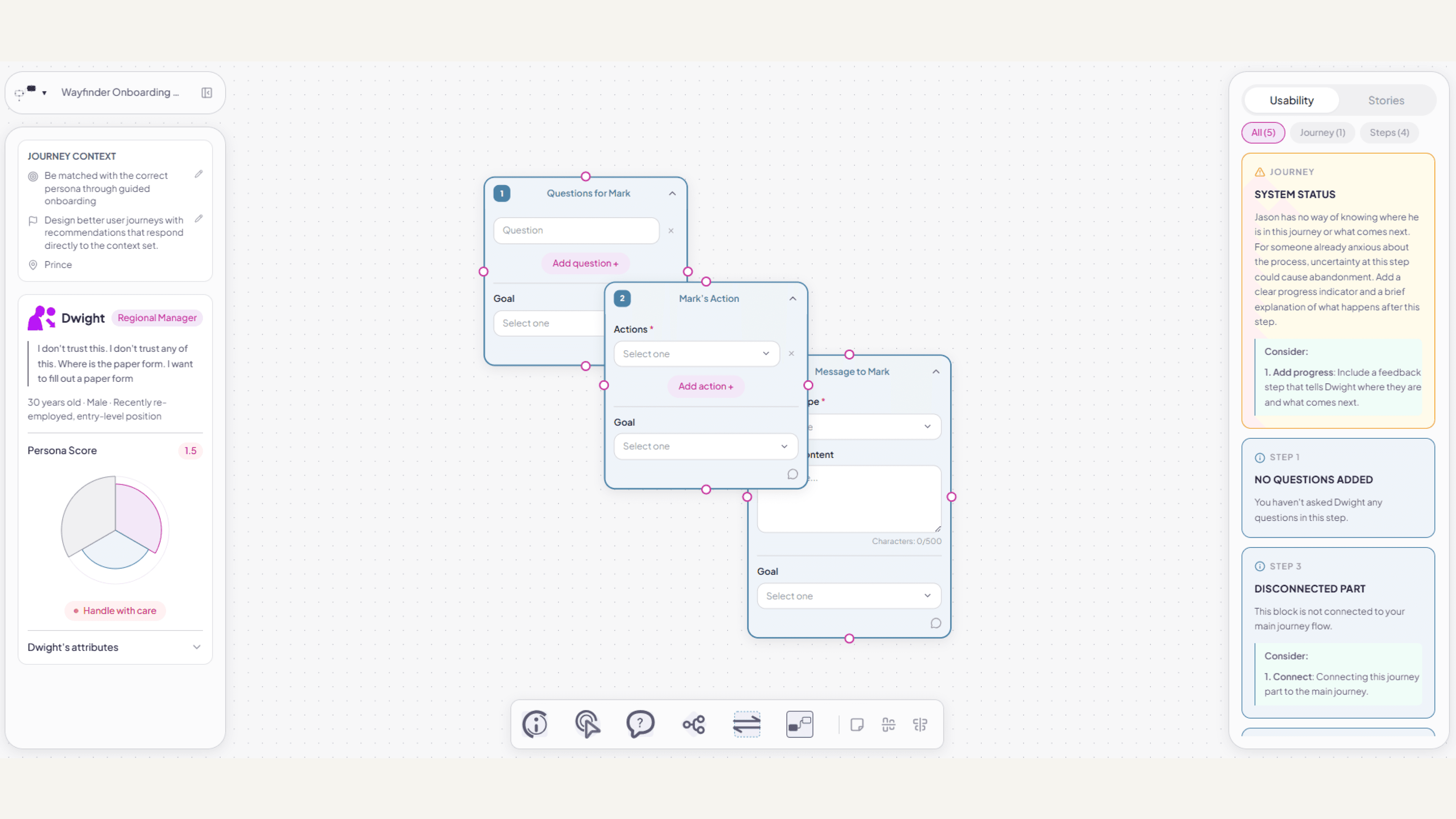

Drag to see what Claude initially generated (the scaffold) and how I iterated upon the scaffold to nudge the code closer to my Figma design.
In May 2026, our DigiTech team were challenged with using Claude Code to build a prototype that solves a business or user problem we were interested in.
I went beyond just a prototype, creating an internal user journey mapping tool with a comprehensive feature set. As AI workflows expand in product teams, more non-designers are becoming involved in customer-facing work traditionally reserved for the UX team. But prompt-engineering user facing solutions without proper guidance can be a slippery slope.
The problems:
Tech stack
What if a user journey mapping tool could also analyse the journey in real time and surface feedback calibrated to the specific person walking it?
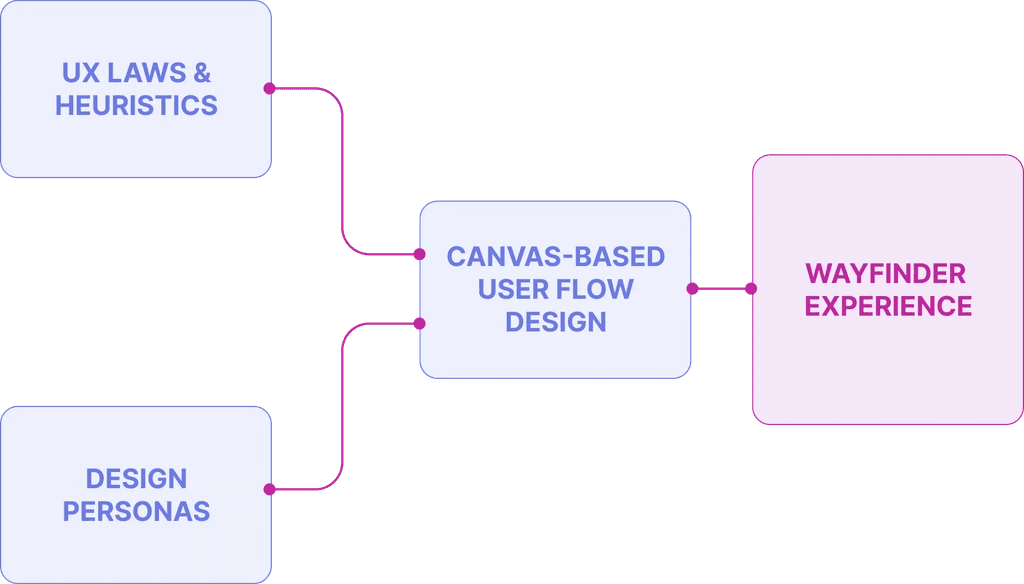
Wayfinder brings together UX Laws + Heuristics, Journey Design and Design Personas to provide an all-in-one live feedback experience that makes it useful for anyone – not just designers – understand the performance of their user flow.
How do you measure user experience?
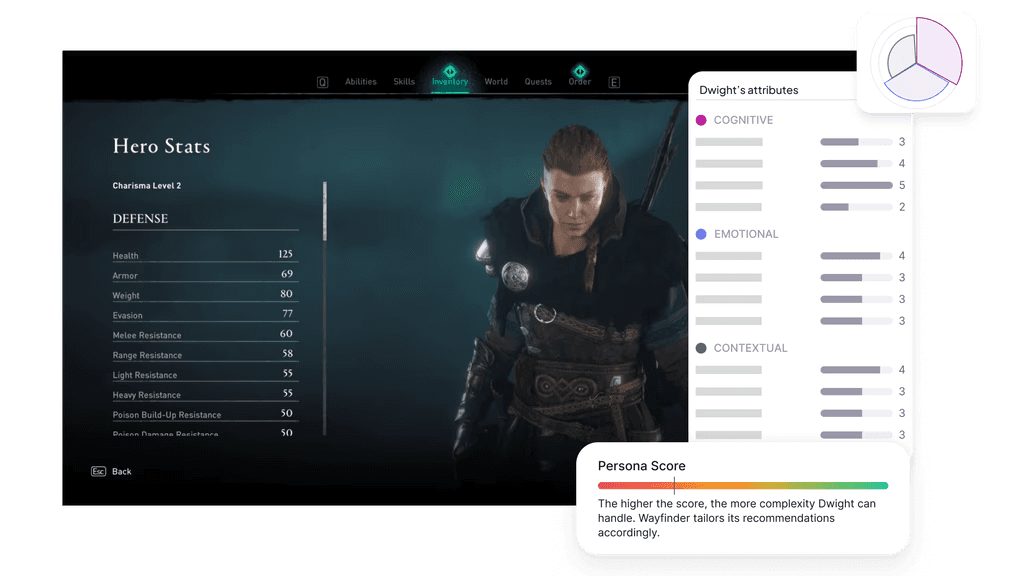
The heuristic feedback needed to feel specific to real people, not generic usability theory. That meant grounding it in our design personas. But personas are written in emotional language. How can a feedback engine read this?
The answer: character stats from RPG video games!*
By giving each persona a score against a set of 12 attributes, the live audit engine can calibrate its feedback accordingly.
*yes, I'm a huge Assassin's Creed fan. All those hours traipsing through Ancient Greece and England finally paid off!
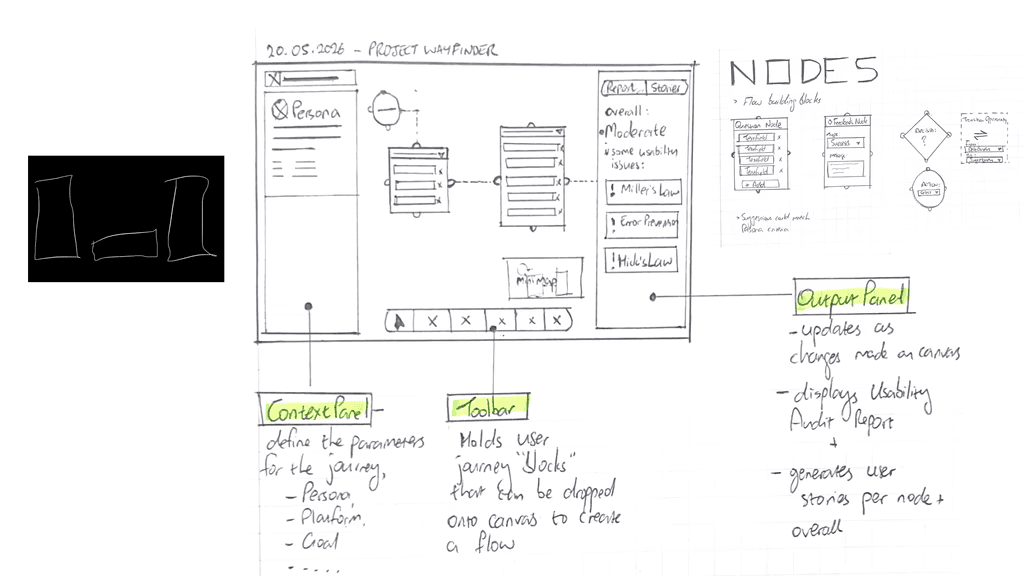
I started on paper rather than with a prompt.
I defined the experience using Figma, not with generative design.
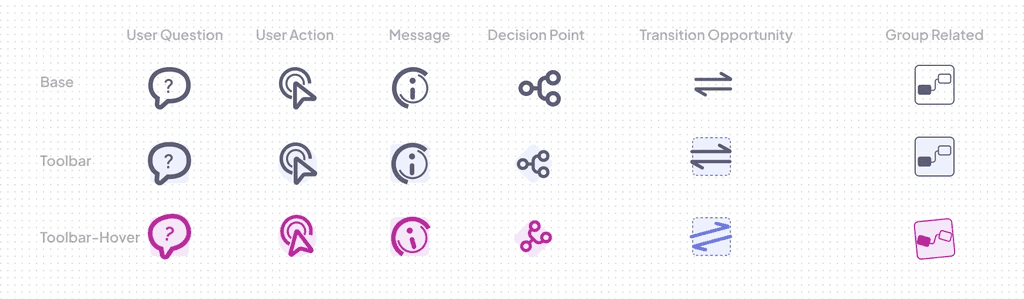
Whilst Claude Code helped me build my idea, I was still in creative control. I designed the interface by hand using Figma. This icon set for the main toolbar injects a bit of whimsy and character to the interface – something I find lacking in purely AI-generated interfaces.
I directed, the AI built. Brief, scaffold, refine, redirect: that rhythm is what "coding with AI" actually means in practice.
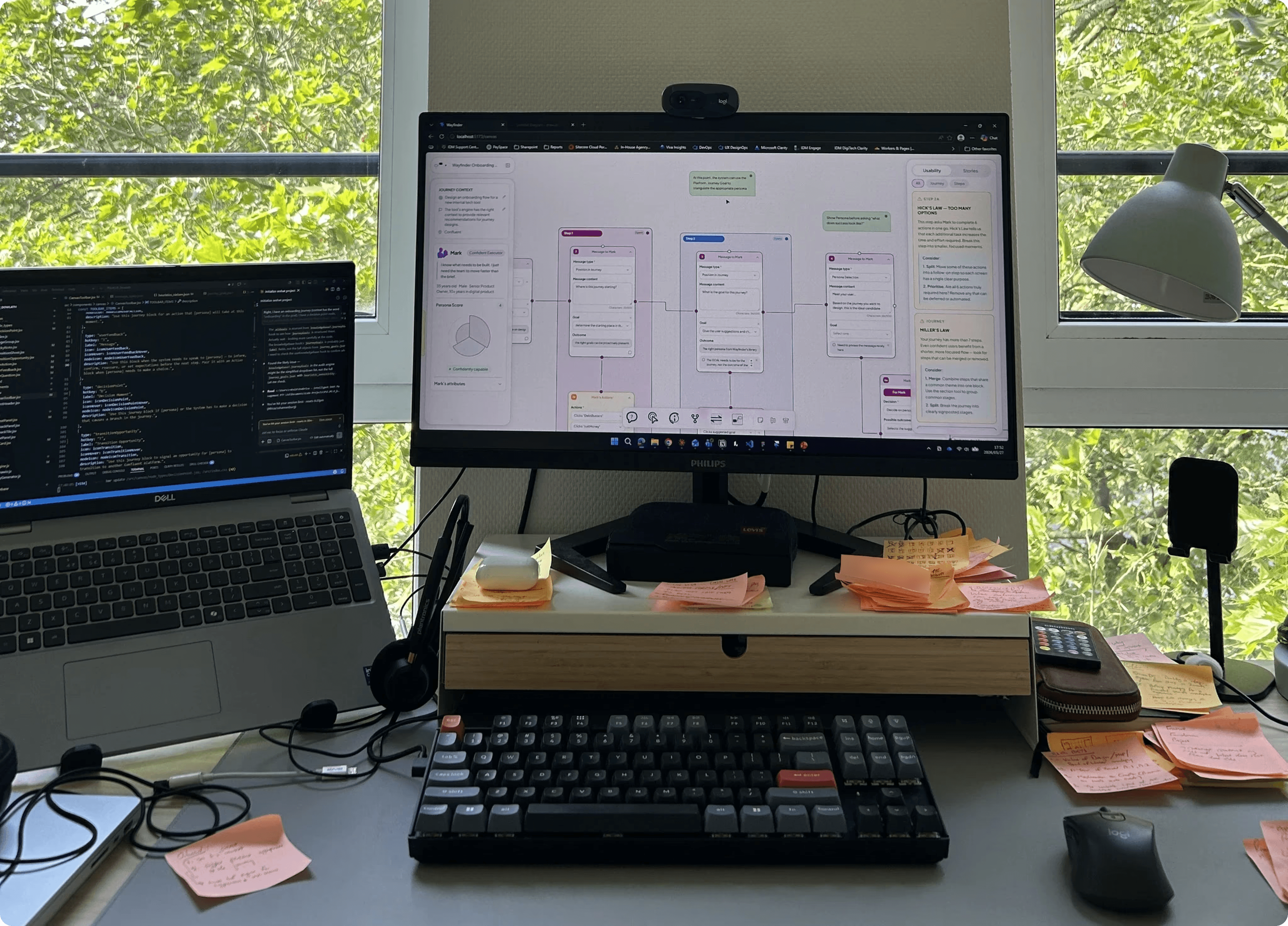
With blueprints and content ready, I briefed Claude Code with a comprehensive spec and scaffolded every page. Then I went back section by section, component by component, refining each part against the Figma frames.
I used Wayfinder to design Wayfinder's own onboarding flow.
"Dogfooding" was the fastest usability test available in the time. It revealed usage patterns I hadn't designed for, and surfaced two features that weren't in the original plan: node alignment and sticky notes.
HI before AI
Design is not dead. In an era of prompt engineering (where anyone can use an agent to generate an interface) true usability, craft and contextually-relevant, well-thought out design will be a critical distinguishing factor.
Generative interfaces tend to hallucinate details, producing inefficient nonsense instead of clean interfaces. When producing a user flow, without the context or empathy that a (human) designer brings, pure AI-generated UX is objectively wrong and convoluted. Overall, it feels generic. Vapid. Uninspired.
Using AI to enhance a workflow, rather than replace it, is where I see its true value shining. Craft is still critical. In this project, I used Claude Code to help me bridge the technical gap so that I could bring my original vision to life. That required a lot of HI – Human Intelligence – upfront, going back to first principles to think through and define the problem, draw out my vision and be strict with my instructions to the AI, ensuring I remain in control of the design direction.

This case study focuses on process and methodology. The tool was built for internal use; specific implementation details remain proprietary. This case study reflects my own contributions developed as part of my role at Confluent Services. All product assets and trademarks remain the property of their respective owners.