During a one-week innovation sprint using Claude Code at Confluent, I designed and built Wayfinder, a browser-based journey mapping tool that helps anyone on a product team think in user journeys, not just technical requirements. Scroll to see how I did it.

01 / PROBLEM
Technical centricity
Non-designers tend to think in features technical requirements, rather than people and experiences.
Audit tax
The UX team tends to do repetitive audit work, referencing known heuristics, whenever we start a new project.
Measuring usability
How do you measure something as abstract as design?
Wayfinder began with a simple question:
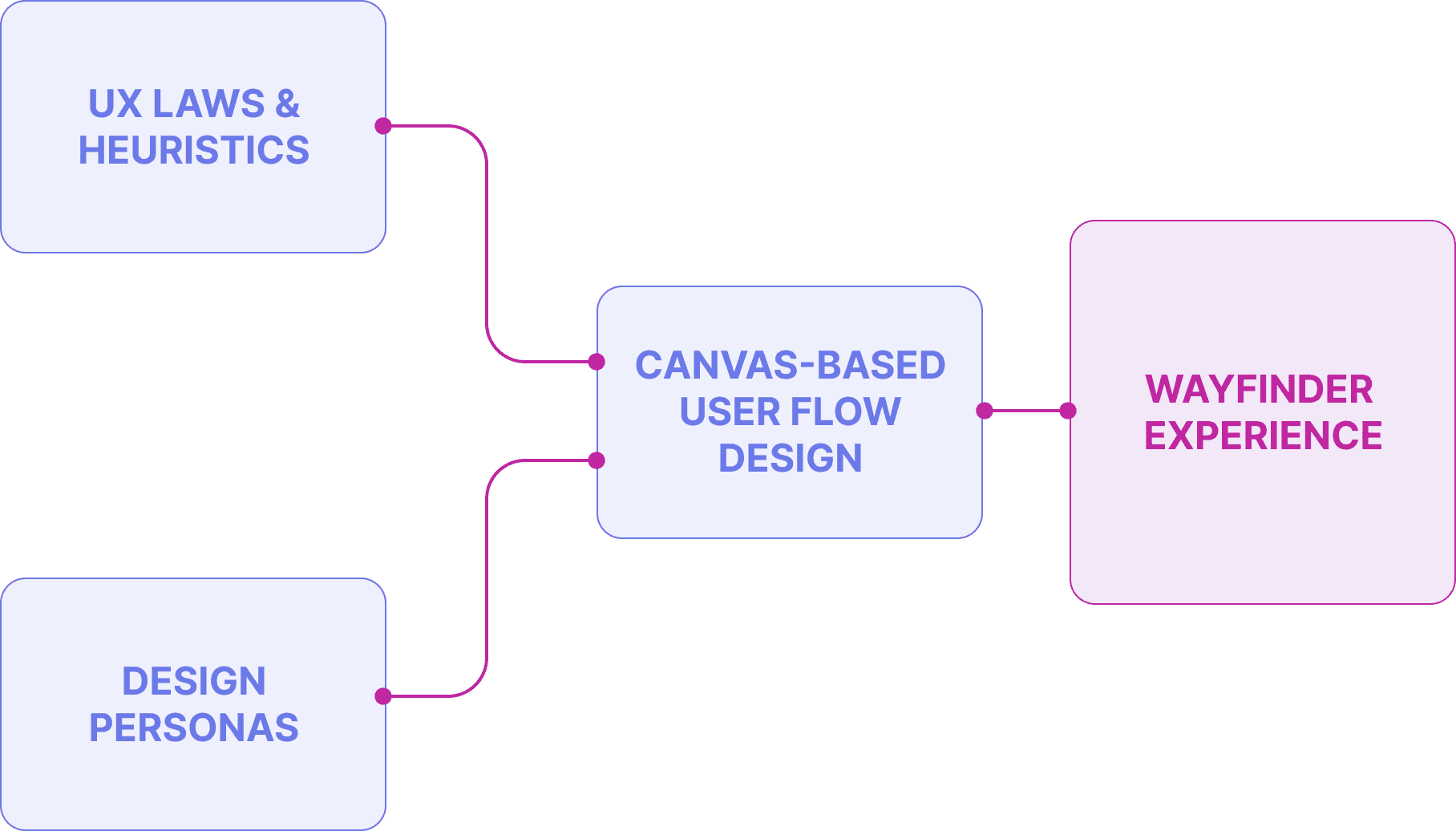
Wayfinder brings together UX Laws + Heuristics, Journey Design and Design Personas to provide an all-in-one live feedback experience that makes it useful for anyone – not just designers – understand the performance of their user flow.
02 / IDEATION

Whilst Claude Code helped me build my idea, I was still in creative control. I designed the interface by hand using Figma. This icon set for the main toolbar injects a bit of whimsy and character to the interface – something I find lacking in purely AI-generated interfaces.


MEASURING UX
The heuristic feedback needed to feel specific to real people, not generic usability theory. That meant grounding it in our design personas. But personas are written in emotional language. How can a feedback engine read this?
The answer: character stats from RPG video games!*
By giving each persona a score against a set of 12 attributes, the engine can calibrate its feedback accordingly.
*yes, I'm a huge Assassin's Creed fan. All those hours traipsing through Ancient Greece and England finally paid off!
03 / PROCESS
DESIGN FIRST
Before writing any code, I designed the entire reasoning engine as a digital twin of how the system's logic would work. Inputs, rule categories, outputs, relationships between persona context and feedback.
This served two purposes: it gave me absolute clarity on what I was building, and it gave the AI coding agent an unambiguous brief to work from later. Every recommendation the tool makes has a traceable reason, not a probabilistic one.

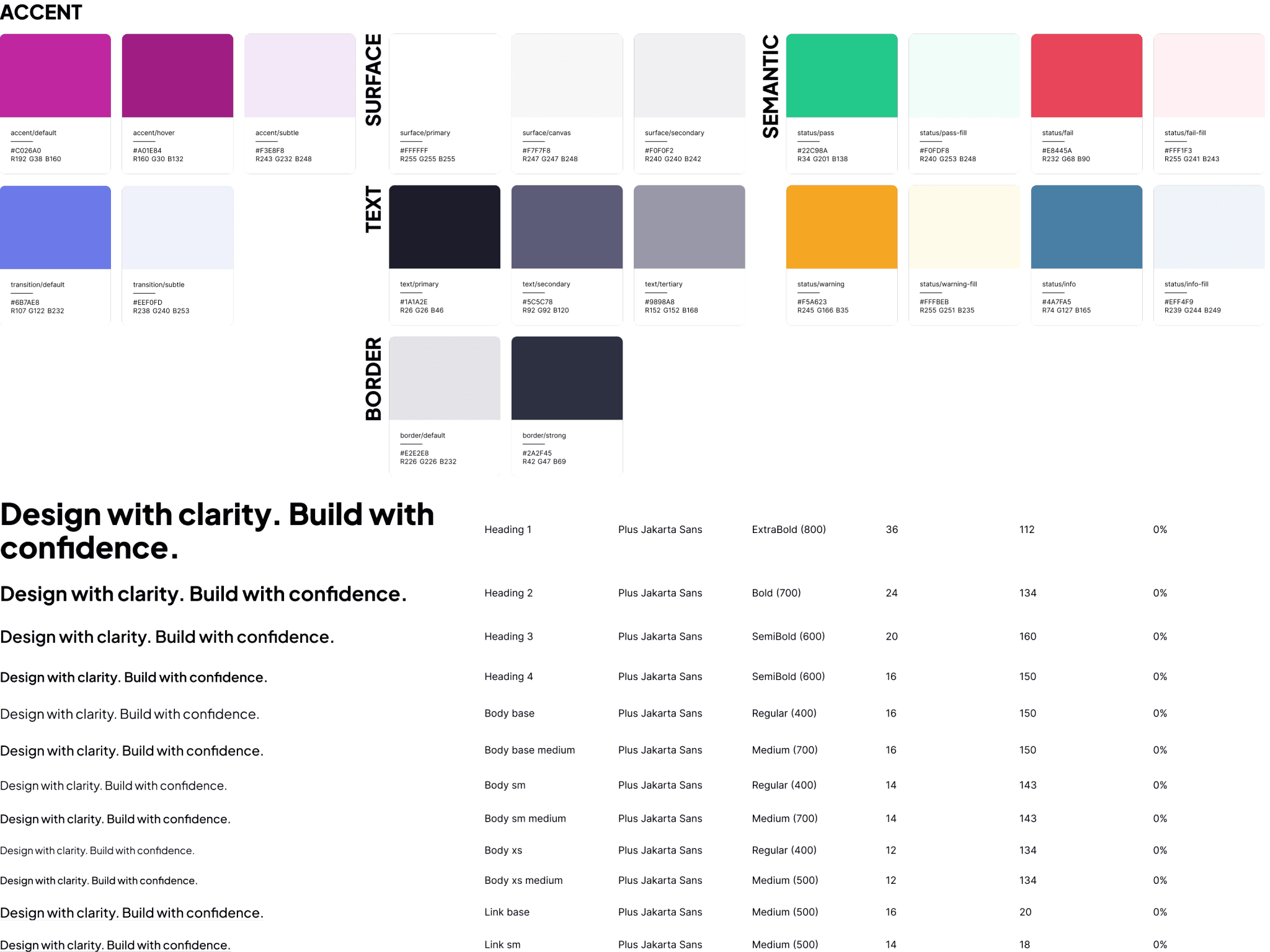
ESTABLISH THE VISUAL RULES
The entire first day of the sprint was also spent in Figma. (No Claude Design or Design.md for me!)
I designed mockups for every page and component, and built a lightweight design system from the company CI guide. By the end of Day 1, I had a complete visual blueprint for every part of the app.
When you have a clear visual reference, briefing an AI coding agent is dramatically faster. Without one, you spend hours re-describing your vision in prose while the tool confidently hallucinates, often producing inefficient and useless graphics that bare no resemblance to your original vision.
BUILD INCREMENTALLY
With blueprints and content ready, I briefed Claude Code with a comprehensive spec and scaffolded every page. Then I went back section by section, component by component, refining each part against the Figma frames.
I directed, the AI built. Brief, scaffold, refine, redirect: that rhythm is what "coding with AI" actually means in practice.
Drag to see what Claude initially generated (the scaffold) and how I iterated upon the scaffold to nudge the code closer to my Figma design.


DOGFOODING
On the penultimate day, I used Wayfinder to design Wayfinder's own onboarding flow.
This was the fastest usability test available in the time. It revealed usage patterns I hadn't designed for, and surfaced two features that weren't in the original plan: node alignment and sticky notes.
Why did I build an audit engine rather than use the Anthropic API for Wayfinder's feedback loop?
The obvious choice for a tool that gives design feedback would have been to call an LLM at runtime: describe the journey, ask for heuristic analysis, display the response.
I chose not to, for three reasons I feel strongly about:

Human-centric experience: as I was designing the interface, the idea struck me that I could use Wayfinder's UI copy to subtly shift a non-designer's mindset out of their technical-focused realm and help them empathise with their user. By using the Persona name in popovers, node titles and even within the feedback tiles, a Wayfinder user begins seeing their journey design through the eyes of the person that will walk it.
04 / REFLECTIONS
HI before AI
My next steps with Wayfinder are to refine its reasoning engine by putting it through the paces auditing real-world user journeys, get usability feedback from my peers, and add features that extend beyond the MVP scope, such as multi-user support, authentication and migrating the JSON knowledge base to a proper database like Supabase.

This case study focuses on process and methodology. The tool was built for internal use; specific implementation details remain proprietary. This case study reflects my own contributions developed as part of my role at Confluent Services. All product assets and trademarks remain the property of their respective owners.
Want to chat more about AI's role in design?
Get in touch